- Home
- Budget and spending
US Personal
A monthly budget that stays clear to follow
Give each expense a category and check your budget as the month goes on, with no spreadsheet to maintain. On Free you add transactions yourself; on Premium and during the demo, read-only bank sync brings them in.
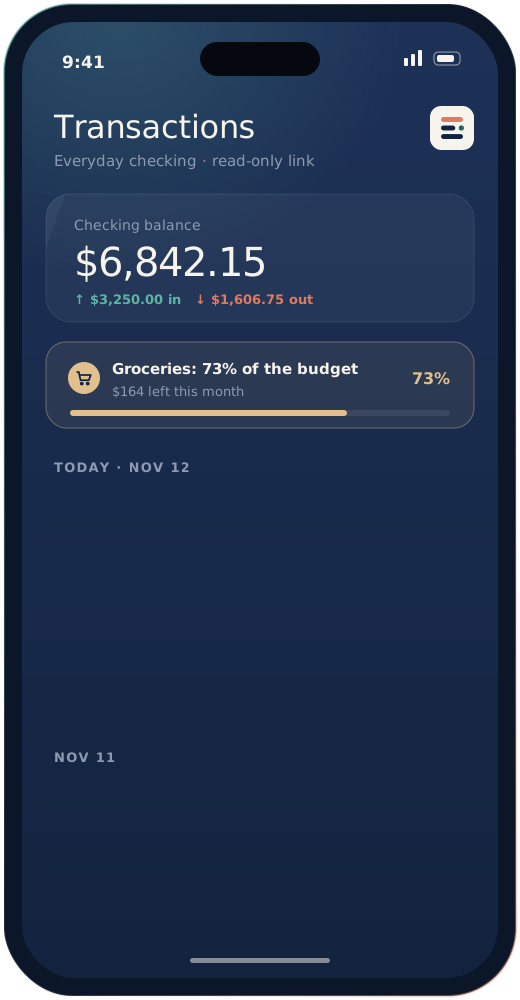
Illustration of the app. Names and amounts are examples.
01 Features
Tools for the everyday budget
Plan the month, follow what you spend, and find out which categories take the most.
Category limits
Give each category a monthly limit, and the app warns you as you get close to it.
Expense tracking
Every transaction gets a category, and one tap moves it to another. Free uses the default categories; Premium lets you add your own.
Upcoming bills
Record recurring bills so you can see the money going out in the months ahead.
Cash flow
Compare money in and money out over several months and spot the trends that matter.
Bank sync Premium
On Premium and during the demo, link checking accounts and cards so each transaction arrives without manual entry.
Useful alerts
Get a reminder before a bill, and an alert when a category nears its limit.
02 Go further
Saving and sharing costs
Work toward a specific goal on Premium, and keep shared household costs in order on any plan.
03 Pricing
Two plans, priced in plain dollars
The free demo gives you seven days of every Premium feature. When it ends, you stay on Free and enter transactions by hand, unless you decide to upgrade to Premium for read-only bank sync.
$0
per month
Track spending by hand, keep a monthly budget, and split costs with others.
- Manual expense tracking
- Monthly budgetUpcoming bills, cash flow, and budget alerts included
- Shared expenses, unlimited groupsReceipt photos and group import included
- Automatic bank sync
- Custom categoriesFree: default categories
- Savings goals
- Budget forecasts
- Spending summaries
- Report export
$6.90
per month, renews monthly until you cancel
Everything in Free, plus linked accounts and the planning tools.
- Manual expense tracking
- Monthly budgetUpcoming bills, cash flow, and budget alerts included
- Shared expenses, unlimited groupsReceipt photos and group import included
- Automatic bank syncRead-only access, also included in the demo
- Custom categories
- Savings goals
- Budget forecasts
- Spending summariesA recap of your own numbers, not financial advice
- Report export
Free and the demo need no card, and the demo never switches to a paid plan by itself. If you pick Premium, it costs $6.90 a month and renews monthly until you cancel in account settings or by email to [email protected]; canceling takes effect on your next billing date, at the end of the period you already paid for. You can ask for a refund of your first Premium charge within 14 days; details are in our terms of use.
Yes. On Free you enter expenses by hand, set a monthly budget, and share costs in groups. Read-only bank sync is available on Premium ($6.90 a month) and during the 7-day demo.
On any plan you can add earlier transactions by hand. On Premium and during the demo, a linked account can also bring in recent history.
Bank sync runs through a third-party bank data provider, and many US banks and credit unions can connect through it. During the demo, the team checks whether yours does.
Yes. On Premium and during the demo, the accounts you link appear side by side in one overview. Accounts you have not linked are not included.
Yes. Invite your partner to a group and choose what they can do there. They see the shared expenses and balances in that group. Linked bank accounts stay on your account.
Yes. Premium is tied to your account and stays active on your phone, tablet, or computer.
Data travels over TLS 1.3 and is stored with AES-256 encryption. Bank access is read-only, two-step sign-in is available, and we do not sell your personal information for money. Some state laws treat advertising cookies as sharing, and you can opt out in the cookie banner. More on our security page.
Try Epicassetmanagement with a free demo
Ask for a 7-day demo at $0 with no card. A team member gets in touch within two business days to help you set up, and the demo does not turn into a paid plan.